
This article is for the legacy interface. For the new Clarity interface article, see Audit Trails (New Clarity Interface).
Overview
The audit trails are accessible through Audit Logs and the Database.
This article applies to the legacy interface, which has an Audit Log button. The audit logs accessed via the Action Menu (three dots) icon in the new Clarity interface are detailed in the Audit Logs (New Clarity Interface) article.
Audit Logs
System Administrators with the Audit Log access right can view audit logs throughout the system. Refer to Rights Glossary for Access Roles for details on access rights.
The Audit Log button is at the bottom right of the relevant screen or workspace across the system (see the list at the end of this article).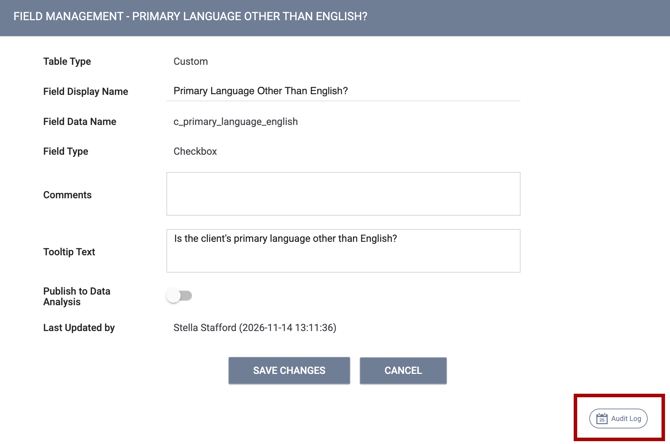
Audit logs display updates to the data on the associated form. Items such as the previous and updated values of a field, the date/time of the update, and the end user who made the update are all presented in a concise historical format.
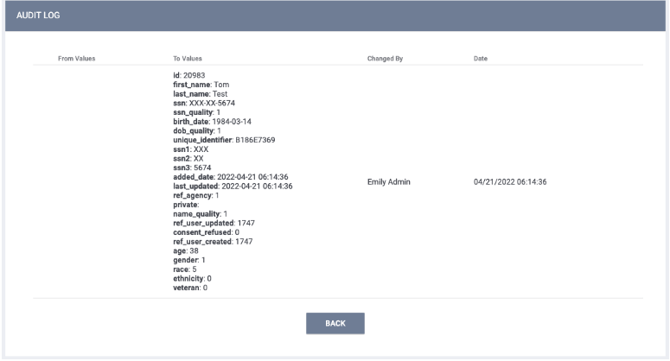
Notes:
-
An OUTREACH label designates an action (such as enrolling a client in an Encampment program) taken with Outreach.

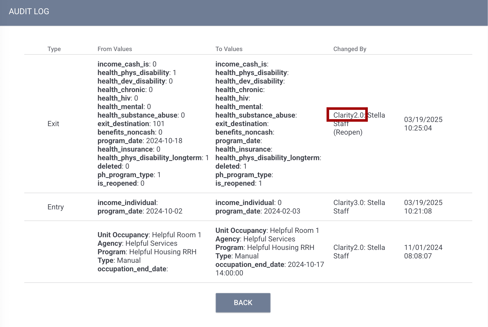
- A Clarity 2.0 label designates when an action (such as reopening a program) is taken while in the current interface.
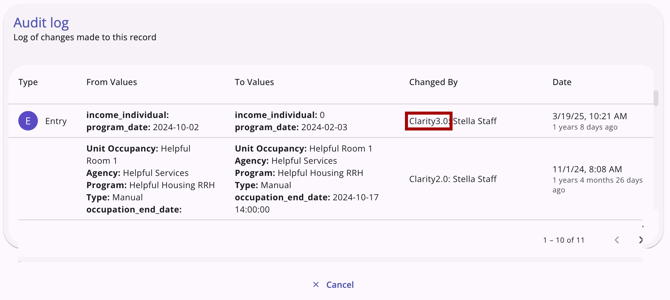
- A Clarity 3.0 label designates when an action (such as enrolling a client in a program) is taken while in the new interface.
Database
The audit log is also provided through the relational database, allowing the system administrator to access the data using a query tool or write reports to manage the updates in any way the system administrator defines.
We also collect the following data for security auditing purposes:
-
The login date of every user who logs in to the system.
-
Length of time a user has been logged in for each session.
-
History of all failed login attempts.
-
History of IP address(es) from which a user logged in or attempted to log in.
-
Reports run/accessed by a user.
- SSN Views: A log of when a user clicks to reveal a Social Security Number (available in Clarity audit logs).
- Record Transactions: A log of when a user creates, edits, or updates a client record (available in Clarity audit logs).
- Client Searches: A log of which users searched for specific clients (available by special request).
Additionally, some common reports are available to assist with auditing:
-
Reports detailing the date/session length of time spent logged in by a user. Refer to the [STFF-101] User Activity Report article for more information.
-
Audit report detailing clients created/accessed/updated by a user. Refer to the [STFF-104] Staff Client Data Activity Report article for more information.
Our Data Analysis tool can be used to create custom reports and dashboards that align with local policies and procedures.
List of Audit Logs
Audit logs are available for the following functions in the legacy Clarity Human Services:
- Access Roles
- Agency Overview
- Assessment Processors
- Buildings
- Customer Portal
- Encampment Teams
- Field Editor
- Field Interaction
- Funding Sources
- Location Filters
- Filter Criteria
- Location & Outreach
- Manage Staff
- Manage Programs
- Map Layers
- Map Layer Groups
- Program Restrictions
- Program Templates
- Referrals
- Referral Settings
- Referral Settings: Community Queue
- Reservations
- ROI Settings
- Screens
- Sites
- System Settings
- Tracked Characteristics
- Units
- Unit Configuration Type
- User Policy Enforcement
Updated: 11/16/2026