
Table of Contents
Overview
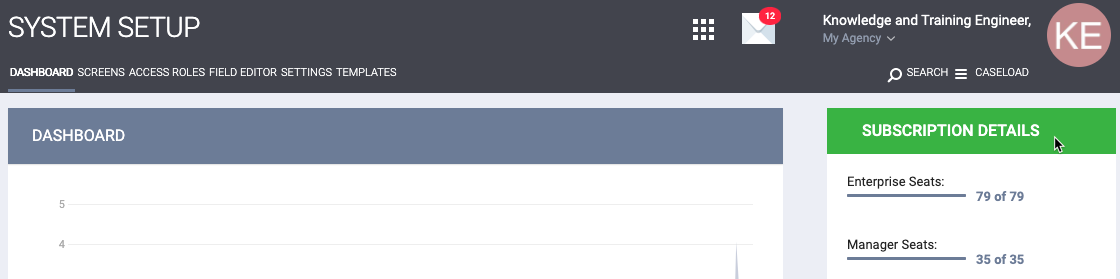
The SUBSCRIPTION DETAILS section displays system information, including the number of available seats, enabled functionality, and data usage. To view SUBSCRIPTION DETAILS, click the Launchpad and navigate to SETUP > DASHBOARD.
Seats
The first section displays the number of Seats used for each Role Type (Enterprise, Manager, and Admin) out of the total available seats.
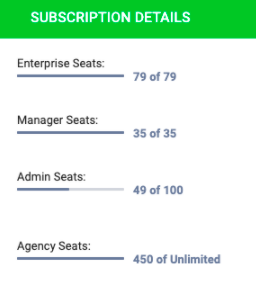
- The total number of available seats represents the number purchased from Bitfocus.
- The Access Role assigned to a staff member determines the seat type used by that staff member.
- The number of seats used for each seat type reflects the number of active staff member accounts assigned Access Roles with that seat type.
- Granting a staff member Additional Agency Access does not count against the overall Seats count.
Notes:
The following are requirements for being counted in Agency Seats under Subscription Details:
- Active status Agencies
- Non-deleted Agencies
- Common Agency Type
Agency Seats do not include:
- The System Agency
- Encampment System Agencies
- Those agencies granted to a staff member for Additional Agency Access.
Limits
In some cases, the number of certain types of items that System Administrators can create is limited.
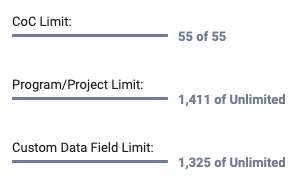
- CoC Limit: the total number of Continuums of Care created in System Variables out of the maximum number that can be created.
- Program/Project Limit: the total number of Programs created within agencies, out of the maximum number that can be created.
- Custom Data Field Limit: the total number of custom fields created in Field Editor out of the maximum number that can be created.
Exceeding Capacity
If a System Administrator attempts to create a new staff member account or agency after the maximum number of seats has been reached, a pop-up will appear offering the option to purchase a new license.
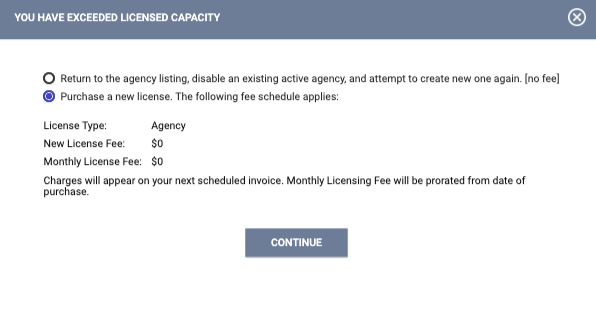
Attempts to create additional programs, fields, or CoCs will generate a message requesting that the System Administrator contact Bitfocus.

System Components
The next section of SUBSCRIPTION DETAILS indicates which components of Clarity Human Services are enabled in the system. Only Bitfocus staff may enable or disable these components.
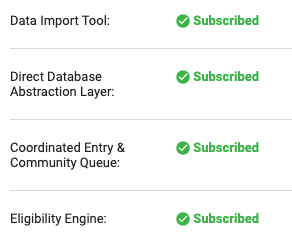
These components include the following:
- Data Analytics: Introduction to the Data Analysis Tool and Looker Resources
- Data Import Tool: The Data Import Tool (DIT)
- Direct Database Abstraction Layer: The Customer SQL Data Model
- Coordinated Entry & Community Queue: The Community Queue
- Eligibility Engine: Eligibility Engine
- Assessment Processor: Assessment Processors
- Referral Management: The Global Referrals Tab
- Sharing Groups & Department Management: Agency Sharing Settings
- Outreach: The Outreach & Encampment Module
Inactive Users and Database Size
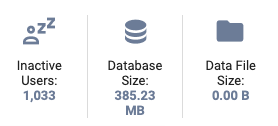
The last section includes the number of inactive users, the total database size, and the total size of all client files in the system.
Updated: 07/24/2026