
Table of Contents
Purpose
The Federal Report Data Cleanup Assistance LookML dashboard helps you find and fix data issues before federal reporting, including LSA season. It focuses on residential and lodging programs.
System administrators can use it to clean up data for federal reporting. Agencies and programs can also use it to monitor their own data quality.
Existing LSA Data Cleanup Looks were repurposed and updated to improve their usefulness. The dashboard also adds new Looks that flag LSA-related issues.
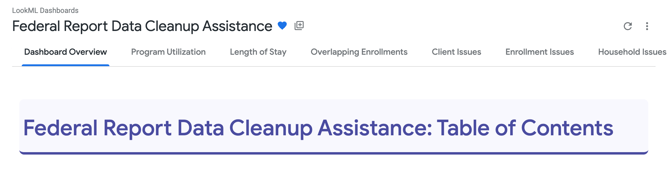
This is the first tabbed LookML dashboard. It includes 78 Looks across nine tabs, plus a Dashboard Overview tab. The Dashboard Overview tab explains the dashboard filters and lists every Look by tab. For general information about tabbed dashboards, see Tabbed Dashboards.
Dashboard Access
Dashboards are available to all instances with Data Analysis enabled. This dashboard is a LookML Dashboard. How you access it depends on whether you use a standalone or embedded Looker and your access rights. In either case, you must have Data Analysis enabled in your access role at a minimum. See Rights Glossary for Access Roles for information about Data Analysis access rights.
Note: For accurate systemwide results, the user running the dashboard must have an access role that includes the Systemwide Data Analysis access right.
The Looks on this dashboard are built in the Project Descriptor Model, HMIS Performance Model, Data Quality Model, and Client Model. Each Look lists the model or models it uses. Review the Embedded Looker Data Security Overview article on how permissions impact visibility within each model.
Standalone Looker
This dashboard is accessible in Looker via the following path: All Folders > LookML Dashboards > Federal Report Data Cleanup Assistance.
Once selected, your dashboard will start running.
Embedded Looker
This dashboard is accessible in Clarity by navigating to Reports > Data Analysis > Built In Reports > Federal Report Data Cleanup Assistance. Click Run to open and start running the dashboard.
LookML dashboards must be enabled in the Data Analysis settings before they appear in the Built-In Reports folder on the Data Analysis tab in the Report Library. See Embedded Looker: Looker - Clarity Human Services Integration for the full steps.
Dashboard Filters
Each tab uses either the Reporting Period filter or the Analysis Period filter. The two work differently.
-
The Reporting Period filter limits results to enrollments active during the date range you choose. It is used on the Program Utilization, Length of Stay, Overlapping Enrollments, Client Issues, Enrollment Issues, and Household Issues tabs.
-
The Analysis Period filter is not directly related to active enrollments. It is based on the program's operating start and end dates, funding source start and end dates, or bed/unit inventory start and end dates. The exceptions are Looks #10 and #11 on the Bed/Unit Inventory Issues tab, which use an Analysis Period built around enrollment activity.
The table below lists the filters. All filters visible on a tab are applied to every Look on that tab, except for those listed under Filter Exceptions.
|
Filter |
Application |
|
Reporting Period Default: 10/01/2025 – 10/01/2026 |
Limits results to enrollments active during the date range. |
|
Analysis Period Default: 10/01/2025 – 10/01/2026 |
Limits results based on the program's operating dates, funding source dates, or bed/unit inventory dates. See the exceptions above. |
|
Program CoC
|
Limits results by the program's CoC. Selection impacts filter options for Agency Name and Program Name. |
|
Agency Name
|
Limits results by agency. Selection impacts filter options for Program Name. |
|
Program Name
|
Limits results by program. |
|
Project Type Default: Emergency Shelter – Entry Exit; Emergency Shelter – Night-by-Night; PH – Housing Only; PH – Housing with Services (no disability required for entry); PH – Permanent Supportive Housing (disability required for entry); PH – Rapid Re-Housing; Safe Haven; Transitional Housing |
Limits results by project type. Selection impacts filter options for Program Name. |
|
Continuum Project Default: is Yes |
Limits results to continuum or non-continuum projects. |
|
Victim Service Provider Default: is No |
Limits results by whether the program is in a victim service provider agency. |
|
Overlapped Program CoC, Overlapped Agency Name, Overlapped Program Name, Overlapped Project Type Default: is any value, except Overlapped Project Type, which excludes Emergency Shelter – Night-by-Night |
Overlapping Enrollments tab. Limit results by the first enrollment chronologically (the Overlapped Enrollment). |
|
Overlapping Enrollment CoC, Overlapping Agency Name, Overlapping Program Name, Overlapping Project Type Default: is any value, except Overlapping Project Type, which excludes Emergency Shelter – Night-by-Night |
Overlapping Enrollments tab. Limit results by the subsequent enrollment (the Overlapping Enrollment). |
Filter Exceptions
Notes:
- On the Overlapping Enrollments tab, only the Reporting Period and Overlapped Program CoC filters apply to Looks #2 and #3.
- The Continuum Project filter does not apply to Look #10 on the Enrollment Issues tab.
- The Analysis Period filter does not apply to Looks #1, #2, and #3 on the Program Configuration Issues tab. These Looks reflect current statuses.
- The Analysis Period filter is not directly related to active enrollments. It is based on the program's operating start and end dates, funding source start and end dates, or bed/unit inventory start and end dates. It is used on the Program Configuration Issues, Funding Source Issues, and Bed/Unit Inventory Issues tabs. The exceptions are Looks #10 and #11 on the Bed/Unit Inventory Issues tab, which use an Analysis Period built around enrollment activity.
- The Victim Service Provider filter does not apply to Look #5 on the Program Configuration Issues tab.
Content
The following Looks make up the Federal Report Data Cleanup Assistance dashboard. The overview below is broken down by tab and includes a summary of each Look. Look numbers match the numbers on the dashboard. For more information on how a Look is configured or what fields are used, review the Look by selecting Explore from Here within the ellipses in the upper right corner.
Program Utilization
This tab shows how fully programs use their bed inventory. It flags low and high utilization, and programs active during the reporting period with no active bed inventory or enrollments.
1. Entry Exit Emergency Shelter, Transitional Housing, and Safe Haven Program Utilization Over the Reporting Period
Program utilization over the Reporting Period for all Entry Exit Emergency Shelter, Transitional Housing, and Safe Haven programs active during the Reporting Period. Utilizations below 65% and above 105% are flagged as low and high utilizations, respectively. Programs that have no active bed inventory and/or no active enrollments during the Reporting Period are also flagged.
Models: Project Descriptor and HMIS Performance
2. Night-by-Night Emergency Shelter Program Utilization Over the Reporting Period
Program utilization over the Reporting Period for all Night-by-Night Emergency Shelter programs active during the Reporting Period. Utilizations below 65% and above 105% are flagged as low and high utilizations, respectively. Programs that have no active bed inventory and/or no active enrollments during the Reporting Period are also flagged.
Models: Project Descriptor and HMIS Performance
3. Permanent Supportive Housing, Other Permanent Housing, and Rapid Re-Housing Utilization Over the Reporting Period
Program utilization over the Reporting Period for all Permanent Supportive Housing, Other Permanent Housing, and Rapid Re-Housing programs active during the Reporting Period. Non-Heads of Household inherit their head of household's move-in date for utilization calculations. Utilizations below 65% and above 105% are flagged as low and high utilizations, respectively. Programs that have no active bed inventory and/or no active enrollments during the Reporting Period are also flagged.
Models: Project Descriptor and HMIS Performance
4. Entry Exit Emergency Shelter, Transitional Housing, and Safe Haven Program Utilization Over the Reporting Period by Household Type
Program utilization over the Reporting Period by Household Type for all Entry Exit Emergency Shelter, Transitional Housing, and Safe Haven programs active during the Reporting Period. Utilizations below 65% and above 105% are flagged as low and high utilizations, respectively. Programs with no active bed inventory and/or no active enrollments during the Reporting Period, or for specific household types, are also flagged. Indeterminable household counts that cannot be attributed to a specific household type are identified.
Models: Project Descriptor and HMIS Performance
5. Night-by-Night Emergency Shelter Program Utilization Over the Reporting Period by Household Type
Program utilization over the Reporting Period by Household Type for all Night-by-Night Emergency Shelter programs active during the Reporting Period. Utilizations below 65% and above 105% are flagged as low and high utilizations, respectively. Programs with no active bed inventory and/or no active enrollments during the Reporting Period, or for specific household types, are also flagged. Indeterminable household counts that cannot be attributed to a specific household type are identified.
Models: Project Descriptor and HMIS Performance
6. Permanent Housing and Rapid Re-Housing Utilization Over the Reporting Period by Household Type
Program utilization over the Reporting Period by Household Type for all Permanent Supportive Housing, Other Permanent Housing, and Rapid Re-Housing programs active during the Reporting Period. Non-Heads of Household inherit their head of household's move-in date for utilization calculations. Utilizations below 65% and above 105% are flagged as low and high utilizations, respectively. Programs with no active bed inventory and/or no active enrollments during the Reporting Period, or for specific household types, are also flagged. Indeterminable household counts that cannot be attributed to a specific household type are identified.
Models: Project Descriptor and HMIS Performance
Length of Stay
This tab shows how long clients stay in programs. Each project type has days-in-project tiers, a summary by program, and a list of enrollments with the longest stayers first.
1. Entry Exit Emergency Shelter Reporting Period Enrollment Length of Stay Tiers
Days in project tiers for Entry Exit Emergency Shelter enrollments active during the Reporting Period.
Model: HMIS Performance
2. Entry Exit Emergency Shelter Length of Stay by Program
Entry Exit Emergency Shelter program length of stay data for enrollments active during the Reporting Period. The Currently Active Enrollments Open for More than 90 Days column analyzes enrollments that are both currently active and active during the Reporting Period.
Model: HMIS Performance
3. Entry Exit Emergency Shelter Reporting Period Enrollment List
A list of clients actively enrolled in an Entry Exit Emergency Shelter during the Reporting Period, sorted by length of stay, with the longest stayers listed first.
Model: HMIS Performance
4. Night-by-Night Emergency Shelter Reporting Period Enrollment Length of Stay Tiers
Days in project tiers for Night-by-Night Emergency Shelter enrollments active during the Reporting Period.
Model: HMIS Performance
5. Night-by-Night Emergency Shelter Length of Stay by Program
Night-by-Night Emergency Shelter length of stay data for enrollments active during the Reporting Period. The Currently Active Enrollments Open for More than 90 Days column analyzes enrollments that are both currently active and active during the Reporting Period. Both counts of enrollments open for more than 90 days are based on how long the enrollments were open since the project start dates. They are not related to bed night stays.
Model: HMIS Performance
6. Night-by-Night Emergency Shelter Reporting Period Enrollment List
A list of clients actively enrolled in a Night-by-Night Emergency Shelter during the Reporting Period, sorted by length of stay, with the longest stayers listed first. The length of stay is based on the days each enrollment was open. It is not related to bed night stays recorded through the enrollment.
Model: HMIS Performance
7. Safe Haven and Transitional Housing Reporting Period Enrollment Length of Stay Tiers
Days in project tiers for Safe Haven and Transitional Housing enrollments active during the Reporting Period.
Model: HMIS Performance
8. Safe Haven and Transitional Housing Length of Stay by Program
Safe Haven and Transitional Housing program length of stay data for enrollments active during the Reporting Period. The Currently Active Enrollments Open for More than 180 Days column analyzes enrollments that are both currently active and active during the Reporting Period.
Model: HMIS Performance
9. Safe Haven and Transitional Housing Reporting Period Enrollment List
A list of clients actively enrolled in Safe Haven and Transitional Housing programs during the Reporting Period, sorted by length of stay, with the longest stayers listed first.
Model: HMIS Performance
10. Permanent Supportive Housing, Other Permanent Housing, and Rapid Re-Housing Reporting Period Enrollment Days in Project Without a Household Move-in Date Tiers
Days in project without a household move-in date tiers for Permanent Supportive Housing, Other Permanent Housing, and Rapid Re-Housing: Housing With or Without Services enrollments active during the Reporting Period.
Model: HMIS Performance
11. Permanent Supportive Housing, Other Permanent Housing, and Rapid Re-Housing Length of Stay and Length of Time to Move-in by Program
Permanent Supportive Housing, Other Permanent Housing, and Rapid Re-Housing: Housing With or Without Services program length of stay and length of time to housing data for enrollments active during the Reporting Period. The Currently Active Enrollments Without a Household Move-in Date and Currently Active Enrollments Without a Household Move-in Date Open for More than 90 Days columns analyze enrollments that are both currently active and active during the Reporting Period. The Average Days from Project Start to Move-in column is only calculated for Heads of Household.
Model: HMIS Performance
12. Permanent Supportive Housing, Other Permanent Housing, and Rapid Re-Housing Reporting Period Enrollment List
A list of clients actively enrolled in Permanent Supportive Housing, Other Permanent Housing, and Rapid Re-Housing: Housing With or Without Services programs during the Reporting Period, sorted by Days in Project Without A Move-in Date, with the longest listed first.
Model: HMIS Performance
13. Rapid Re-Housing: Services Only Reporting Period Enrollment Length of Stay Tiers
Days in project tiers for Rapid Re-Housing: Services Only enrollments active during the Reporting Period.
Model: HMIS Performance
14. Rapid Re-Housing: Services Only Length of Stay by Program
Rapid Re-Housing: Services Only program length of stay data for enrollments active during the Reporting Period. The Currently Active Enrollments Open for More than 180 Days column analyzes enrollments that are both currently active and active during the Reporting Period.
Model: HMIS Performance
15. Rapid Re-Housing: Services Only Reporting Period Enrollment List
A list of clients actively enrolled in Rapid Re-Housing: Services Only programs during the Reporting Period, sorted by length of stay, with the longest stayers listed first.
Model: HMIS Performance
Overlapping Enrollments
This tab identifies enrollments and Night-by-Night bed nights that overlap.
1. Overlapping Residential/Lodging Enrollments in Entry Exit Project Types (ES-EE, PSH, OPH, RRH: Housing, SH, & TH)
Overlapping enrollments in entry exit residential/lodging programs. Data from the first enrollment chronologically is on the left and is labeled Overlapped Enrollment. The subsequent enrollment is the Overlapping Enrollment and is on the right. The Overlapped Enrollment was active during the Reporting Period. You can filter overlapped and overlapping enrollments using the corresponding dashboard filters. Rapid Re-Housing overlaps are limited to RRH: Housing with or without services programs. Non-continuum programs and programs within victim service provider agencies are excluded.
Model: Data Quality
2. Clients with Multiple Night-by-Night Emergency Shelter Bed Nights on the Same Night
Overlapping bed nights in Night-by-Night Emergency Shelter enrollments. Only the Reporting Period and Overlapped Program CoC dashboard filters are applied to this Look. Using the Overlapped Program CoC filter can hide Night-by-Night overlaps that occur across different CoCs.
Model: HMIS Performance
3. Night-By-Night Emergency Shelter Bed Nights Overlapping with Entry Exit Residential/Lodging Enrollments
Night-by-Night Emergency Shelter bed nights that overlap an entry exit residential/lodging program enrollment. Only the Reporting Period and Overlapped Program CoC dashboard filters are applied to this Look. Using the Overlapped Program CoC filter can hide overlaps that occur across different CoCs. RRH: Services Only programs are excluded from this analysis.
Model: Client
Client Issues
This tab identifies client data quality issues for clients enrolled in residential and lodging programs. It covers date of birth, race and ethnicity, and Social Security number.
1. Clients Enrolled in a Residential/Lodging Program During the Reporting Period with Date of Birth Data Quality Issue
Clients enrolled in a residential/lodging program during the Reporting Period who have date of birth data quality issues. The issues include:
- Missing dates of birth.
- DoB Data Quality responses of "Data not collected," "Client doesn't know," or "Client prefers not to answer."
- Dates of birth that result in client ages greater than 105.
- Dates of birth after the current date or after the client's project start date.
- Heads of household with dates of birth equal to their project start date.
- An SSN data quality of "Client doesn't know," "Client prefers not to answer," or "Data not collected," or a missing SSN data quality.
- An SSN that does not have the last four digits present.
- An SSN that does not conform to the Social Security Administration (SSA) rules for a valid SSN.
Addressing missing dates of birth helps resolve the Indeterminable Enrollment Households on the Household Issues tab.
Model: HMIS Performance
2. Clients Enrolled in a Residential/Lodging Program During the Reporting Period with a Race/Ethnicity Data Quality Issue
Clients enrolled in a residential/lodging program during the Reporting Period who have a Race/Ethnicity data quality issue. The issues include missing responses, and responses of "Data not collected," "Client doesn't know," or "Client prefers not to answer."
Model: HMIS Performance
3. Clients Enrolled in a Residential/Lodging Program During the Reporting Period with a Social Security Number Data Quality Issue
Clients enrolled in a residential/lodging program during the Reporting Period who have a Social Security Number data quality issue. The issues include:
Model: HMIS Performance
Enrollment Issues
This tab identifies enrollment data issues in residential and lodging programs. It covers issues related to enrollment CoC, prior residence and exit destination, disabling condition, domestic violence responses, program participation, and Night-by-Night bed night services.
1. Clients Born After and Heads of Household Born on their Residential/Lodging Enrollment Start Date
Clients actively enrolled in a residential/lodging program during the Reporting Period who were enrolled before their date of birth, and heads of household enrolled on their date of birth.
Model: HMIS Performance
2. Heads of Household Actively Enrolled in Residential/Lodging Programs During the Reporting Period with Move-in Dates Outside of Enrollment
Heads of household in residential programs that are actively enrolled during the Reporting Period who have a household move-in date outside their enrollment date range. This Look also includes heads of household in Permanent Supportive Housing who moved in on their project exit date. Clients who moved into housing after the reporting period are not captured as housed in the LSA/Federal Reporting for the reporting period.
Model: HMIS Performance
3. Residential/Lodging Enrollments Active During the Reporting Period and Open Outside of Program's Operating Period
Residential/lodging program enrollments active during the Reporting Period that were active outside the program's operating date range.
Model: HMIS Performance
4. Residential/Lodging Enrollments Active During the Reporting Period and that were Started and Exited on the Same Day
Enrollments in residential/lodging programs active during the Reporting Period that have the same project start and exit dates.
Model: HMIS Performance
5. Residential/Lodging Enrollments Active During the Reporting Period with an Invalid Enrollment CoC
Enrollments in residential/lodging programs active during the Reporting Period that have a potential enrollment CoC issue. The issues include:
- Missing or blank enrollment CoCs.
- Enrollment CoCs that do not match the head of household's enrollment CoC.
- Enrollment CoCs that are not included in the program's setup CoCs.
- 3.08 disabling condition responses of "Data not collected," "Client doesn't know," "Client prefers not to answer," or missing.
- Disabling condition responses that do not align with the reported individual disabilities, for non-VA/non-VASH funded programs.
Model: HMIS Performance
6. Residential/Lodging Enrollments Active During the Reporting Period with a Retired, Missing, Unknown, or Invalid Prior Residence or Exit Destination
Head of household and HUD age adult enrollments in residential/lodging programs active during the Reporting Period that have a retired, missing, unknown, or invalid prior residence. This Look also includes all active enrollments with a retired, missing, unknown, or invalid exit destination. Unknown locations include "Client doesn't know," "Client prefers not to answer," "Data not collected," "No exit interview completed," and "Other." Invalid locations are those not identified in Appendix A of the HUD Data Dictionary. Prior Living Situation (3.917) and Destination (3.12) each have their own column of valid responses in the Appendix. Exit destinations of "Rental by Client, with ongoing housing subsidy" with no Rental Subsidy Type reported are also included.
Model: HMIS Performance
7. Residential/Lodging Enrollments Active During the Reporting Period with an Entry Screen Disability Issue
Enrollments in residential/lodging programs active during the Reporting Period that have a disabling condition issue. The issues include:
Model: HMIS Performance
8. Adult and Head of Household Residential/Lodging Enrollments Active During the Reporting Period with Missing/Unknown Entry Screen DV Responses
Adult and head of household enrollments in residential/lodging programs active during the Reporting Period whose response to the entry screen Survivor of Domestic Violence question was "Data not collected," "Client doesn't know," "Client prefers not to answer," or missing. This Look also identifies enrollments with a "Yes" response to Survivor of Domestic Violence and a "Data not collected," "Client doesn't know," "Client prefers not to answer," or missing response to Currently Fleeing Domestic Violence.
Model: HMIS Performance
9. Adult and Head of Household Residential/Lodging Enrollments Active During the Reporting Period with Missing/Unknown Status Screen DV Responses
Adult and head of household enrollments in residential/lodging programs active during the Reporting Period whose response to a status screen Survivor of Domestic Violence question was "Data not collected," "Client doesn't know," "Client prefers not to answer," or missing. This Look also identifies enrollments with a status screen "Yes" response to Survivor of Domestic Violence and a "Data not collected," "Client doesn't know," "Client prefers not to answer," or missing response to the status screen Currently Fleeing Domestic Violence question.
Model: HMIS Performance
10. Non-Continuum Residential/Lodging Programs with Enrollments Active During the Reporting Period
Non-continuum residential/lodging programs with enrollments active during the Reporting Period. The Continuum Project dashboard filter is not applied to this Look.
Model: HMIS Performance
11. Non-HMIS Participating Residential/Lodging Programs with Enrollments Active During the Reporting Period
Non-HMIS Participating residential/lodging programs with enrollments active during the Reporting Period.
Models: HMIS Performance and Project Descriptor
12. Night-by-Night Emergency Shelter Enrollments Active in the Reporting Period without a Bed Night Service within the Reporting Period
Night-by-Night Emergency Shelter enrollments active in the Reporting Period without a bed night service within the Reporting Period.
Model: HMIS Performance
13. Night-by-Night Emergency Shelter Enrollments Active in the Reporting Period without a Bed Night Service within the Enrollment
Night-by-Night Emergency Shelter enrollments active during the Reporting Period without a bed night service within the enrollment.
Model: HMIS Performance
14. Night-by-Night Emergency Shelter Enrollments Active During the Reporting Period without a Bed Night Service on the Project Start Date
Night-by-Night Emergency Shelter enrollments active during the Reporting Period that had no bed night service on the enrollment project start date.
Model: HMIS Performance
15. Night-by-Night Emergency Shelter Enrollments Active During the Reporting Period without a Bed Night Service the Day Before Project Exit
Night-by-Night Emergency Shelter enrollments active during the Reporting Period that have been exited and had no bed night service on the last day of the enrollment.
Model: HMIS Performance
16. Night-by-Night Emergency Shelter Enrollments Active in the Reporting Period with a Bed Night Service Outside the Program's Operating Period
Night-by-Night Emergency Shelter enrollments active during the Reporting Period with a bed night service outside of the program's operating period. A program's last bed night should be before its operating end date.
Model: HMIS Performance
Household Issues
This tab identifies household issues in residential and lodging programs. It covers households with missing or multiple heads of household, conflicting household types, unusual head of household ages, and indeterminable households.
1. Households Actively Enrolled in Residential/Lodging Programs During the Reporting Period without an Active Head of Household During the Reporting Period
Households in residential/lodging programs with at least one household member actively enrolled during the Reporting Period but no head of household actively enrolled during the Reporting Period.
Model: HMIS Performance
2. Households Actively Enrolled in Residential/Lodging Programs During the Reporting Period with Multiple Head of Household Enrollments Active During the Reporting Period
Households in residential/lodging programs with more than one head of household actively enrolled during the Reporting Period.
Model: HMIS Performance
3. Clients with Multiple Enrollments within the Same Enrollment Household in Residential/Lodging Programs During the Reporting Period
Clients with an active enrollment in a residential/lodging program during the Reporting Period who have multiple enrollments within the same enrollment household.
Model: HMIS Performance
4. Clients with Multiple Enrollments in the Same Residential/Lodging Program Active During the Reporting Period with Different Enrollment Household Types
Clients who had multiple active enrollments during the Reporting Period in the same residential/lodging program with more than one enrollment household type. This can cause more households to be counted than clients within the LSA. Enrollment household type is determined by the household members actively enrolled during the Reporting Period and their HUD Age. HUD Age is the age of the household members at project start or at the start of the Reporting Period, whichever is more recent.
Model: HMIS Performance
5. Permanent Housing and Rapid Re-Housing Households Active During the Reporting Period Whose Oldest Member is Less than 18 (Excludes RHY & YHDP Funded Programs)
Households actively enrolled in a permanent housing or rapid re-housing program during the Reporting Period whose oldest household member, based on their HUD Age, is less than 18. Only household members actively enrolled during the Reporting Period are analyzed. RHY and YHDP funded programs are excluded from this analysis.
Model: HMIS Performance
6. Heads of Household Less than 6 Years Old at Project Start Actively Enrolled in Residential/Lodging Programs During the Reporting Period (Excludes RHY & YHDP Funded Programs)
Heads of Household actively enrolled in a residential/lodging program during the Reporting Period who were less than 6 years old at project start. RHY and YHDP funded programs are excluded from this analysis.
Model: HMIS Performance
7. Indeterminable Enrollment Households Active in Residential/Lodging Programs During the Reporting Period
Residential/lodging program enrollment households that have household members actively enrolled during the Reporting Period and are classified as an Indeterminable Household. Indeterminable Households typically result from a household member not having a date of birth. The Client Issues tab identifies clients without a date of birth.
Model: HMIS Performance
Program Configuration Issues
This tab identifies program setup issues in residential and lodging programs. It covers program and agency statuses, agency and program site details such as zip codes, geocodes, and addresses, and missing housing type or target population.
1. Residential/Lodging Programs that Currently have an "Active, Expired" Status
Residential/lodging programs that currently have a status of "Active, Expired" because their Operating End Date is in the past. The Analysis Period dashboard filter is not applied to this Look, because it reflects current statuses.
Model: Project Descriptor
2. Residential/Lodging Programs that Currently have an "Active" or "Active, Expired" Status that are in "Inactive" Agency
Residential/lodging programs that are currently "Active" or "Active, Expired" within an agency that currently has an "Inactive" status. The Analysis Period dashboard filter is not applied to this Look, because it reflects current statuses.
Model: Project Descriptor
3. Currently "Inactive" Residential/Lodging Programs without an Operating End Date or with an Operating End Date in the Future
Residential/lodging programs that are currently "Inactive" but do not have an Operating End Date or have an Operating End Date in the future. The Analysis Period dashboard filter is not applied to this Look, because it reflects current statuses.
Model: Project Descriptor
4. Agencies with a Residential/Lodging Program Active During the Analysis Period that have an Agency Zip Code Issue
Agencies with a residential/lodging program active during the Analysis Period that have an agency zip code data quality issue. The issues include:
- Agency zip codes that do not match the agency state.
- Zip codes shorter or longer than 5 characters.
- Null or blank zip codes.
- Zip codes entered as not applicable ("NA," "Na," "N/A," "N/a").
- Zip codes that are all the same number (00000, 11111, and so on).
- Zip codes of "01234" or "12345".
- Null or blank geocodes.
- Various forms of "NA".
- Six of the same digit (for example, "111111" or "222222").
- Geocodes that are not 6 characters long.
- Program site zip codes that do not match the program site state.
- Zip codes shorter or longer than 5 characters.
- Null or blank zip codes.
- Zip codes entered as not applicable ("NA," "Na," "N/A," "N/a").
- Zip codes that are all the same number (00000, 11111, and so on).
- Zip codes of "01234" or "12345".
- Null or blank geocodes.
- Various forms of "NA".
- Six of the same digit (for example, "111111" or "222222").
- Geocodes that are not 6 characters long.
Model: Project Descriptor
5. Residential/Lodging Programs Active and HMIS Participating During the Analysis Period that have a Target Population of "Survivors of Domestic Violence" or are in a VSP Agency
Residential/lodging programs that are active and HMIS Participating during the Analysis Period and that have a target population of "Survivors of Domestic Violence" or are in a victim service provider agency. The Victim Service Provider dashboard filter is not applied to this Look.
Model: Project Descriptor
6. Residential/Lodging Programs Active During the Analysis Period that are Missing a Housing Type or Target Population
Residential/lodging programs active during the Analysis Period that are missing a program configuration Housing Type or Target Population. RRH: Services Only programs missing a Target Population are included.
Model: Project Descriptor
7. Residential/Lodging Programs Active During the Analysis Period with a Potential Program Geocode Issue
Residential/lodging programs active during the Analysis Period that have potential geocode issues. The issues include:
Model: Project Descriptor
8. Residential/Lodging Programs Active During the Analysis Period that are Missing a Program Site
Residential/lodging programs active during the Analysis Period that either have no administrative program sites, or have no primary administrative program site with a site information date before the Analysis Period end date.
Model: Project Descriptor
9. Residential/Lodging Programs Active During the Analysis Period whose Earliest Program Site Information Date was After the Program Operating Start Date
Residential/lodging programs active during the Analysis Period whose earliest administrative program site began after the program's operating start date. These programs operated without an active administrative site.
Model: Project Descriptor
10. Residential/Lodging Programs Active During the Analysis Period with a Program Site that is Potentially a PO Box Address
Residential/lodging programs active during the Analysis Period with an administrative program site whose site address or address line 2 is potentially a post office box instead of a physical location. VSP programs are allowed to use post office boxes for their addresses.
Model: Project Descriptor
11. Residential/Lodging Programs Active During the Analysis Period with a Program Site that has a Potentially Invalid Zip Code
Residential/lodging programs active during the Analysis Period that have an administrative program site with a potentially invalid zip code. The issues include:
Model: Project Descriptor
12. Residential/Lodging Programs Active During the Analysis Period with Potential Program Site Geocode Issues
Residential/lodging programs active during the Analysis Period with an administrative program site that has a potential geocode issue. The issues include:
Model: Project Descriptor
Funding Source Issues
This tab identifies funding source issues in residential and lodging programs. It covers missing grants, project types that do not match funding sources, missing allocated beds, and retired funding sources.
1. GPD and SSVF Projects Active During the Analysis Period with No Active Grants Active During the Analysis Period
Residential/lodging programs active during the Analysis Period that are GPD or SSVF funded but had no active GPD/SSVF grants during the Analysis Period.
Model: Project Descriptor
2. Residential/Lodging Programs Active During the Analysis Period whose Project Types Do Not Match their Funding Sources Active During the Analysis Period
Residential/lodging programs active during the Analysis Period that are a project type that does not match the funding sources active during the Analysis Period.
Model: Project Descriptor
3. Veteran Funded Programs Active During the Analysis Period with No Veteran Allocated Beds Active During the Analysis Period
Veteran funded residential/lodging programs active during the Analysis Period that have no active veteran allocated beds during the Analysis Period.
Model: Project Descriptor
4. RHY & YHDP Funded Programs Active During the Analysis Period with No Youth Allocated Beds Active During the Analysis Period
RHY and YHDP funded residential/lodging programs active during the Analysis Period that have no active youth allocated beds during the Analysis Period.
Model: Project Descriptor
5. Residential/Lodging Programs Active During the Analysis Period with a Retired Funding Source Active During the Analysis Period
Residential/lodging programs active during the Analysis Period that have a retired funding source active during the Analysis Period.
Model: Project Descriptor
Bed/Unit Inventory Issues
This tab identifies bed and unit inventory issues in residential and lodging programs. It covers inventory changes, gaps, dates outside the operating period, bed and unit count discrepancies, and CoC mismatches.
1. Residential/Lodging Programs with a Change in Bed Inventory During the Analysis Period End Date Year
Residential/lodging programs active during the Analysis Period that had a change in bed inventory across four specific dates during the Analysis Year. The Analysis Year in this Look is the year of the Analysis Period end date. The Look compares inventory on January 31, April 30, July 31, and October 31.
Model: Project Descriptor
2. Inventory Records Active During the Analysis Period that are Outside the Program's Operating Period
Residential/lodging program bed/unit inventories active during the Analysis Period that are active outside the program's operating period.
Model: Project Descriptor
3. Residential/Lodging Programs Active During the Analysis Period with No Inventory Records Active During the Analysis Period
Residential/lodging programs active during the Analysis Period with no active bed/unit inventories at any point during the Analysis Period.
Model: Project Descriptor
4. Residential/Lodging Programs Active During the Analysis Period with No Inventory Records Active on the Program's Operating Start Date
Residential/lodging programs active during the Analysis Period that had no active bed/unit inventories on the program's operating start date.
Model: Project Descriptor
5. Inactive Residential/Lodging Programs Active During the Analysis Period with No Inventory Records Active on the Program's Operating End Date
Residential/lodging programs active during the Analysis Period that are currently "Active, Expired" or "Inactive" and had no active bed/unit inventories on the program's operating end date.
Model: Project Descriptor
6. Inventory Records Active During the Analysis Period with Beds but No Units
Residential/lodging program bed/unit inventories active during the Analysis Period that had beds but no units.
Model: Project Descriptor
7. Inventory Records Active During the Analysis Period with More Units than Beds
Residential/lodging program bed/unit inventories active during the Analysis Period with more units than beds.
Model: Project Descriptor
8. Seasonal Inventory Records Active During the Analysis Period that have No Inventory End Date
Residential/lodging program seasonal bed/unit inventories active during the Analysis Period with no inventory end date. This Look includes active seasonal inventories that may not be a data quality issue if they are supposed to be active.
Model: Project Descriptor
9. Inventory Records Active During the Analysis Period with an Inventory CoC that Does Not Match the Program CoC
Residential/lodging program bed/unit inventory records with a CoC that does not match the program's primary administrative site CoC.
Model: Project Descriptor
10. Residential/Lodging Program Enrollments Active During the Analysis Period in a Program with No Active Inventory Records on the Enrollment Project Start Date
Enrollments active during the Analysis Period in residential/lodging programs that have no active bed/unit inventory records on the enrollment's project start date. This Look uses an Analysis Period filter built around enrollment activity.
Model: HMIS Performance
11. Residential/Lodging Program Enrollments Active During the Analysis Period in a Program with No Active Inventory Records on the Enrollment Project Exit Date
Enrollments active during the Analysis Period in residential/lodging programs that have no active bed/unit inventory records on the enrollment's project exit date. This Look uses an Analysis Period filter built around enrollment activity.
Model: HMIS Performance
Additional Resources
- Tabbed Dashboards
- LookML Dashboard Library
- LSA Toolkit
- LSA FAQs and Troubleshooting
- Data Quality: LSA Data Quality Errors
- HUD HMIS Data Standards
Published: 10/08/2026