
Table of Contents
Purpose
This program-based report lists Heads of Household (HoH) and household members based on the parameter selections, along with their household income totals.
Running the Report
All users can run the report. A user’s access rights determine which information they can see.
Report Location
This report is in the Report Library, Category = Program Based Reports. The Report Library presents all reports you have access to in a single Available Reports table.
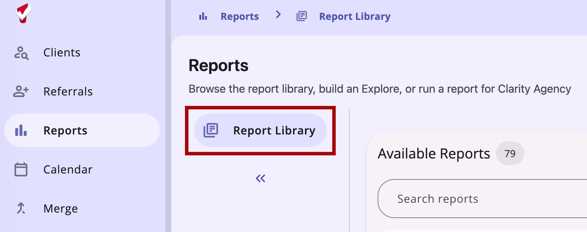
To find the report, use the following options:
- Search: Use the search field to find a report by name, report code, or category.
- Filter: Filter the table by Category or by Last Run date range.
- Sort: By default, the table sorts alphabetically by Category, then by Report Code. You can also sort by Report Name or Last Run.
Parameters
The following parameters are required to run this report:
|
Parameter |
Description |
|
Program |
Choose which program to include in the report. |
|
Income Data Source |
Choose from which enrollment screen to pull the income data: Program Enrollment Latest Assessment |
|
Client Type |
Choose whether the clients are: All: All clients active at some point during the reporting period. For details, refer to Method 1 in the Homeless Management Information System (HMIS) Reporting Terminology Glossary. Active: Clients who did not exit during the reporting period. Inactive: Clients who exited during the reporting period. |
|
Report Date Range |
Choose the date range of enrollments to include. |
|
Report Output Format |
Web Page, PDF, Excel |
Note: If the report contains more than 20,000 rows, the Report Output Format automatically converts to the Excel format.
Report Details
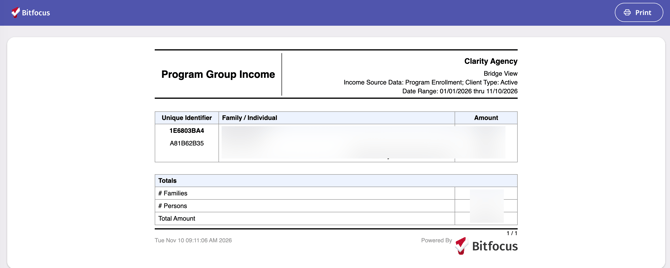
The first table lists households and their total household income. The Heads of Household (HoH) will be in bold text. The second table is a Totals table.
Drilldown Functionality
The Family/Individual column includes a drilldown link. Click the link to display information from the client's Profile.
Additional Resources
Updated: 11/10/2026